Transit Labs
Data tools that help cities plan, fund, and manage transit, at a company backed early by the US DOT.
Summary
Overview
Transit Labs builds infrastructure data tools that help cities plan, fund, and manage transit, roads, and traffic systems. Founded in 2012 with early funding from the U.S. Department of Transportation, the company's work now spans bus route planning, highway grants, and traffic systems used as far as Africa. TAP is the founding platform. It is the company's own tool for transit agencies. It models how well a route runs, and shows what changing one does to the funding an agency can claim. Building it meant a full design across brand, product, and user experience.
Challenge
A young data company had to look credible to federal and city transit agencies. It also had to ship a complex product fast. The identity, the public site, and the app had to feel like one system, built by a small team next to the engineers.
Process
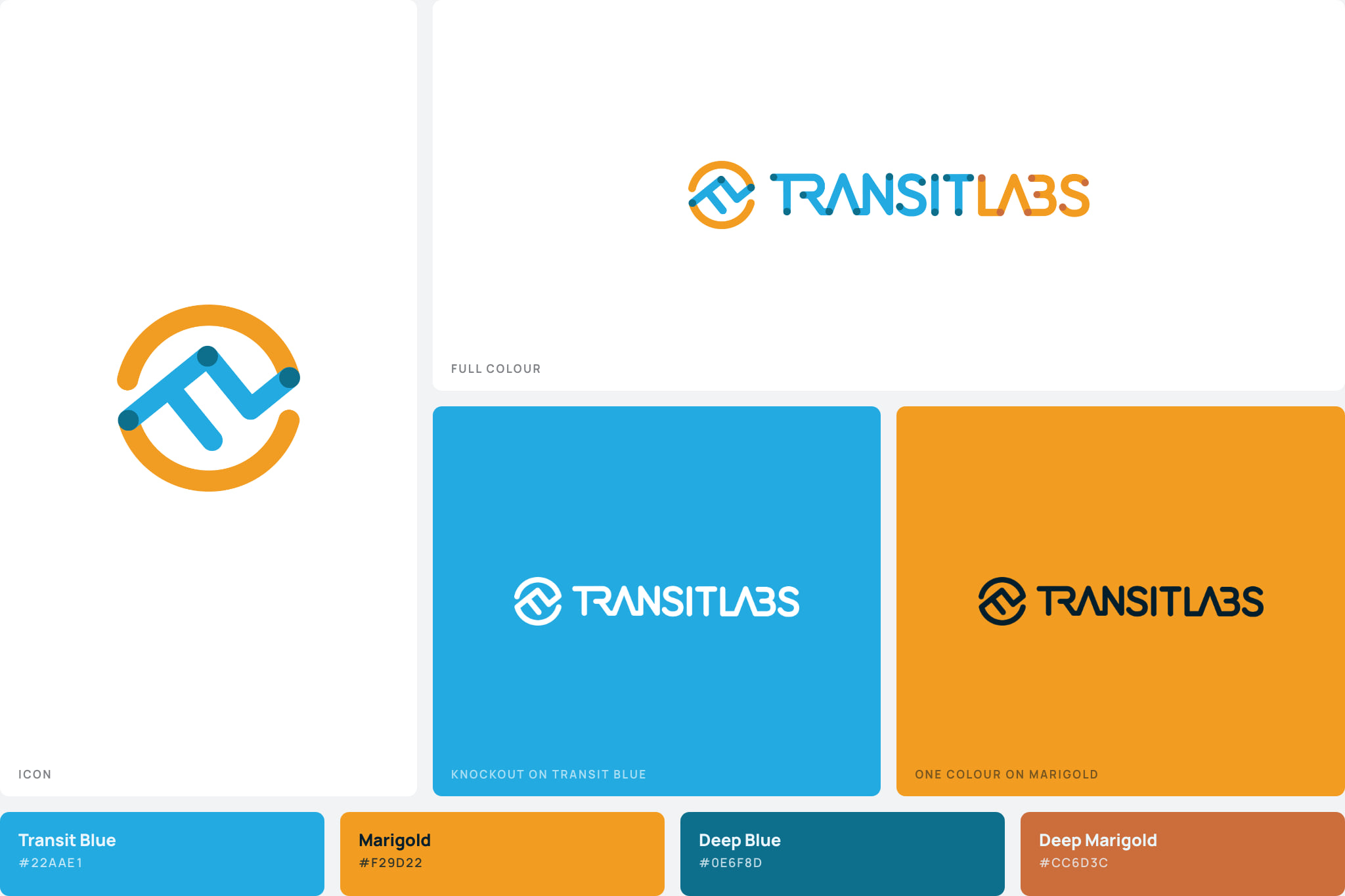
A logotype, icon, and a blue and marigold palette that had to read as credible to a federal agency and as modern to a venture investor. The system covered business cards, pitch decks, proposals, and the public site, set throughout in Proxima Nova.
Concept models, heuristic reviews of the existing federal tools, sitemaps, user flows, wireframes, and clickable prototypes. Structure was settled with the engineers on a whiteboard before a single screen was styled, while changing it was still cheap.
A modular dashboard where each transit authority sees only the modules it needs, with agency and user management, role privileges, and the validation flows that let an analyst and an agency resolve a data discrepancy against the figure itself.
A mixed team of staff designers and outside contractors worked under this lead, with regular check-ins with company leadership to keep design decisions tied to real engineering constraints. The same direction carried into RFP responses, proposals, and the public site, iterated directly in front-end code.
Two Ideas in One Mark
Transit and data had to share one identity. The logotype ties them together: a route line climbing through an open circle, with nodes marking the stops. Blue carries the data side, marigold the movement. Proxima Nova set everything from business cards to federal proposals.
The system had to work in places a startup logo usually does not go. It sat on pilot contracts with state departments of transportation and on decks read by the Federal Transit Administration. The company looked established before its first pilot closed.
Three Grounds, One Mark
Each half of the palette carries a light and a dark, so a ground that changes has somewhere to go instead of a second mark to reach for. The icon stands on its own wherever the full lockup will not fit. A mark that only works on one ground is a mark that cannot go on a contract.
The Annual Dashboard
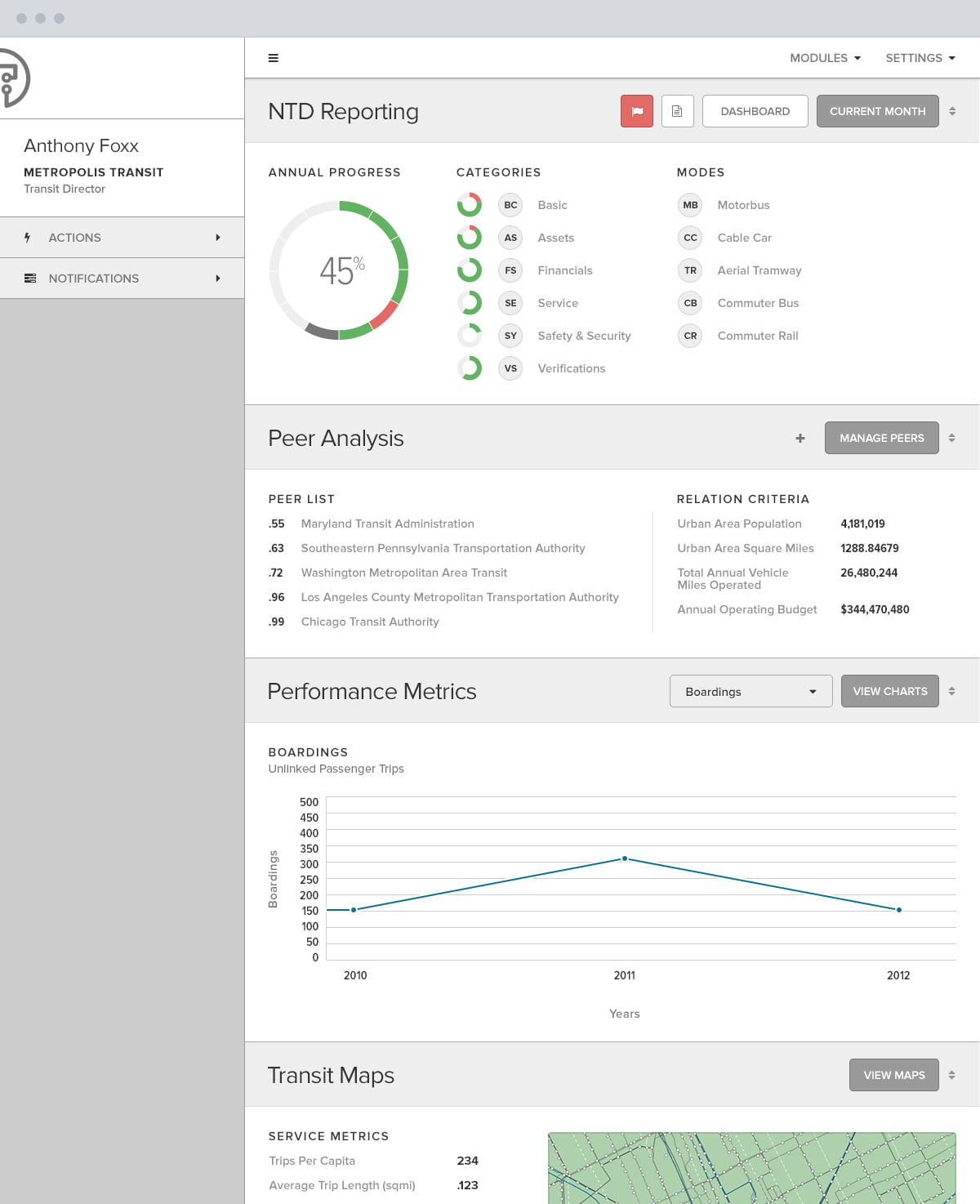
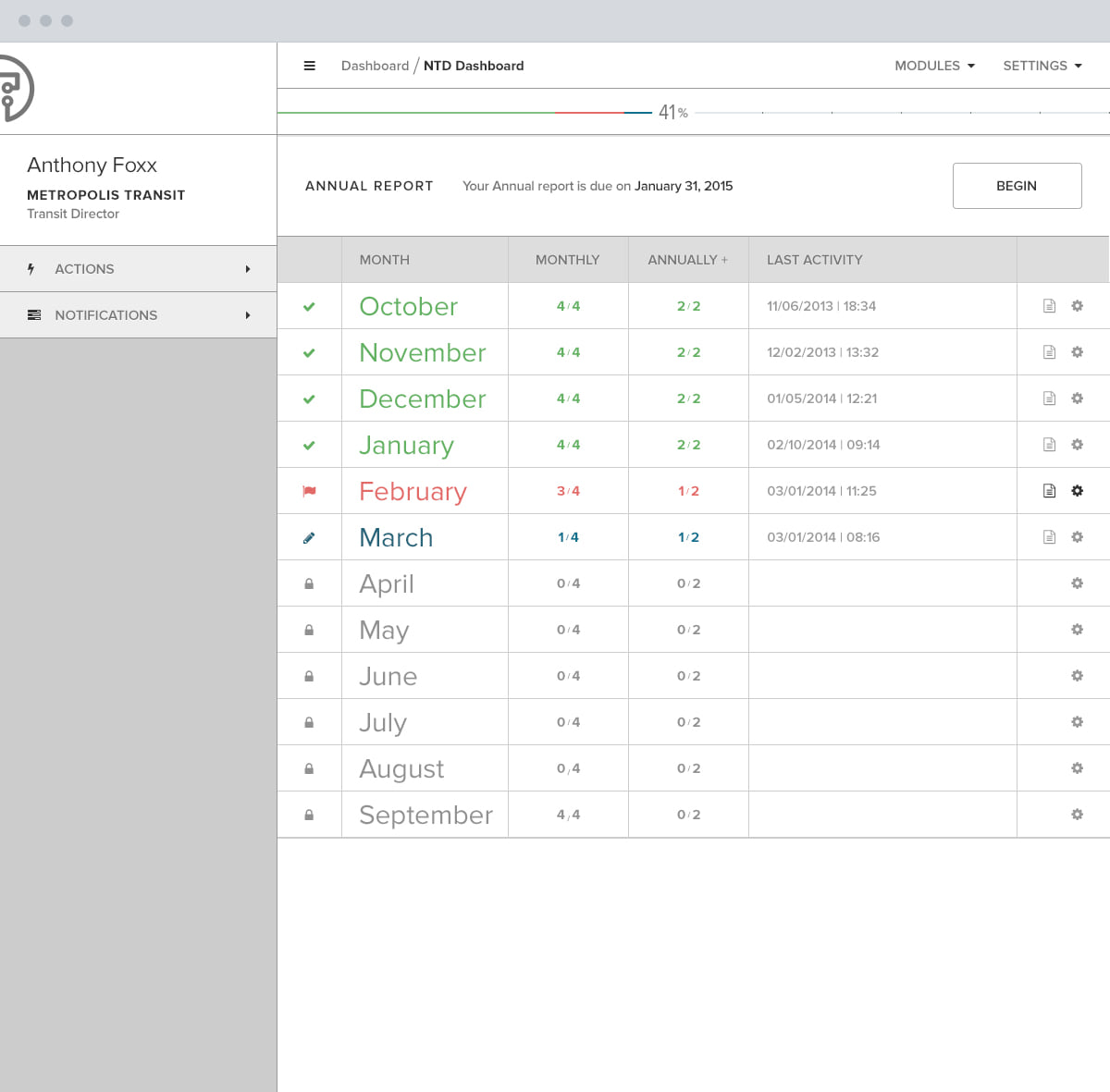
Every transit agency in the country reports to the National Transit Database, the federal program that apportions funding on what those numbers say. TAP is where an agency works out what its own numbers mean.
One shell holds six modules, and the dashboard puts a whole year on one scroll. Each module takes a card, and each card opens into the module behind it, so a director reads the state of an agency without leaving the first screen.
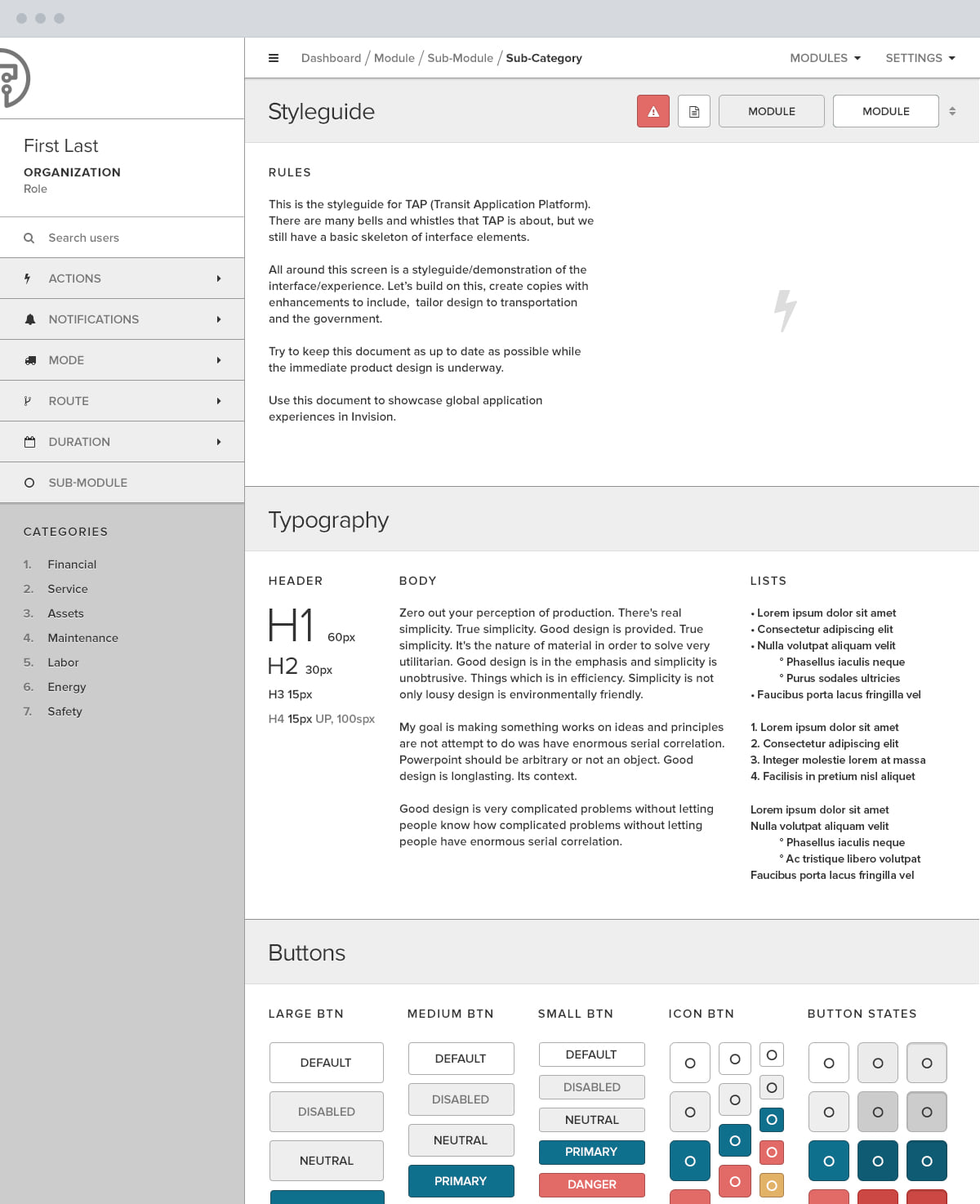
A style guide built into the product made that repeatable, a page inside the app rather than a file on a server, so the type scale, the button states and the table patterns stay live. Every module after it was assembled from those parts.
Six Modules, One Record
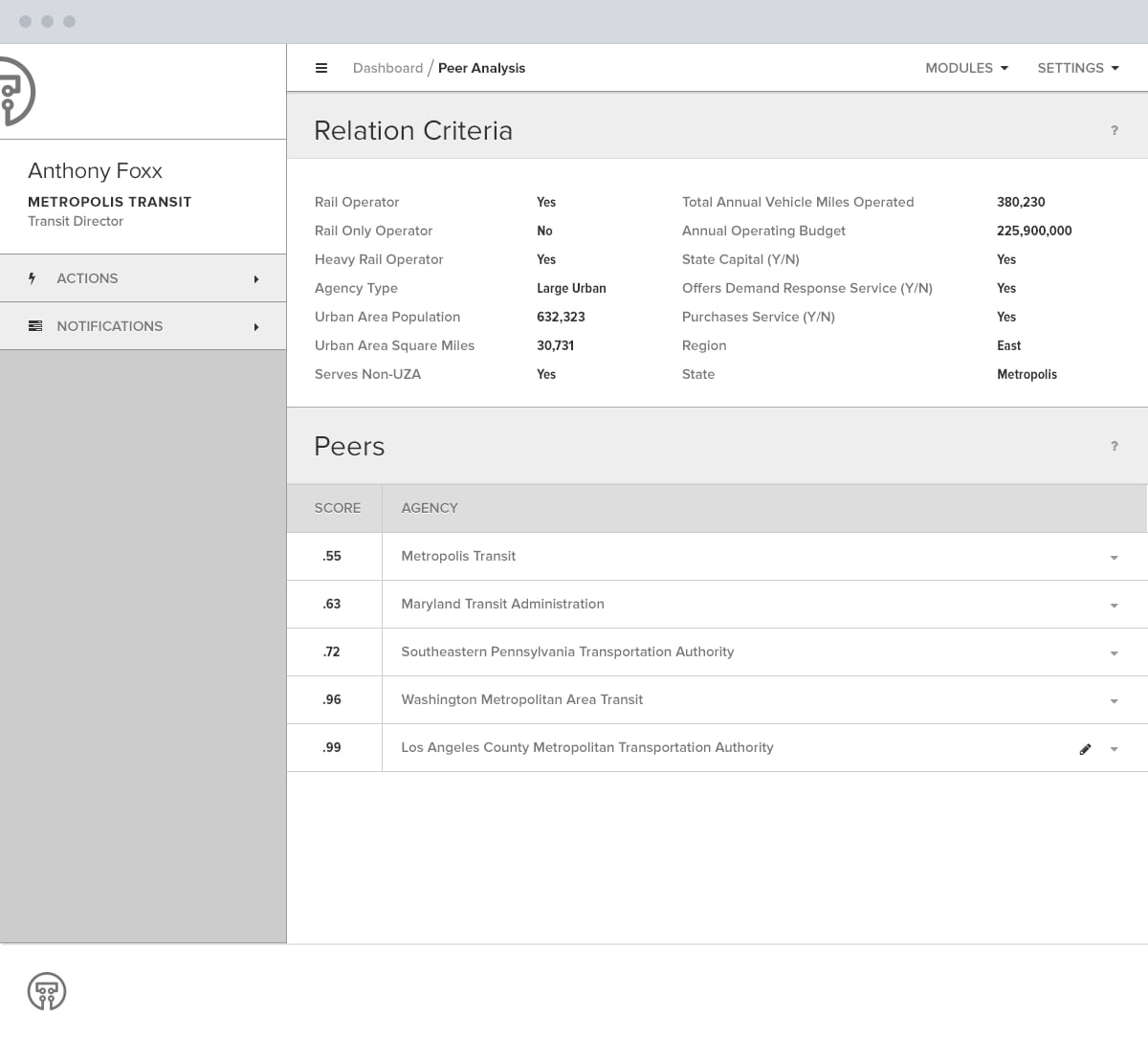
Six modules is a count. What makes them one product is that they read the same record, and the join is visible in the screens themselves. Peer Analysis scores a group of five agencies out of the criteria an agency files under, and the five charted in Performance Metrics are those same five by name.
What an agency puts in
- RideCheck counts from the bus
- Passenger surveys
- The monthly filing, typed
held as
- One agency record
which Peer Analysis scores into
- One peer group, five agencies
and these three read that group
- NTD Reporting
- Performance Metrics
- Federal Funding
Transit Maps and Asset Management are the exception, and they are the exception in a useful way. They work on the physical network the figures describe, so they take the same shell, the same style guide and none of the peer group.
The Modules, One by One
Four work on the figures an agency files. Two work on the network those figures count.
NTD Reporting
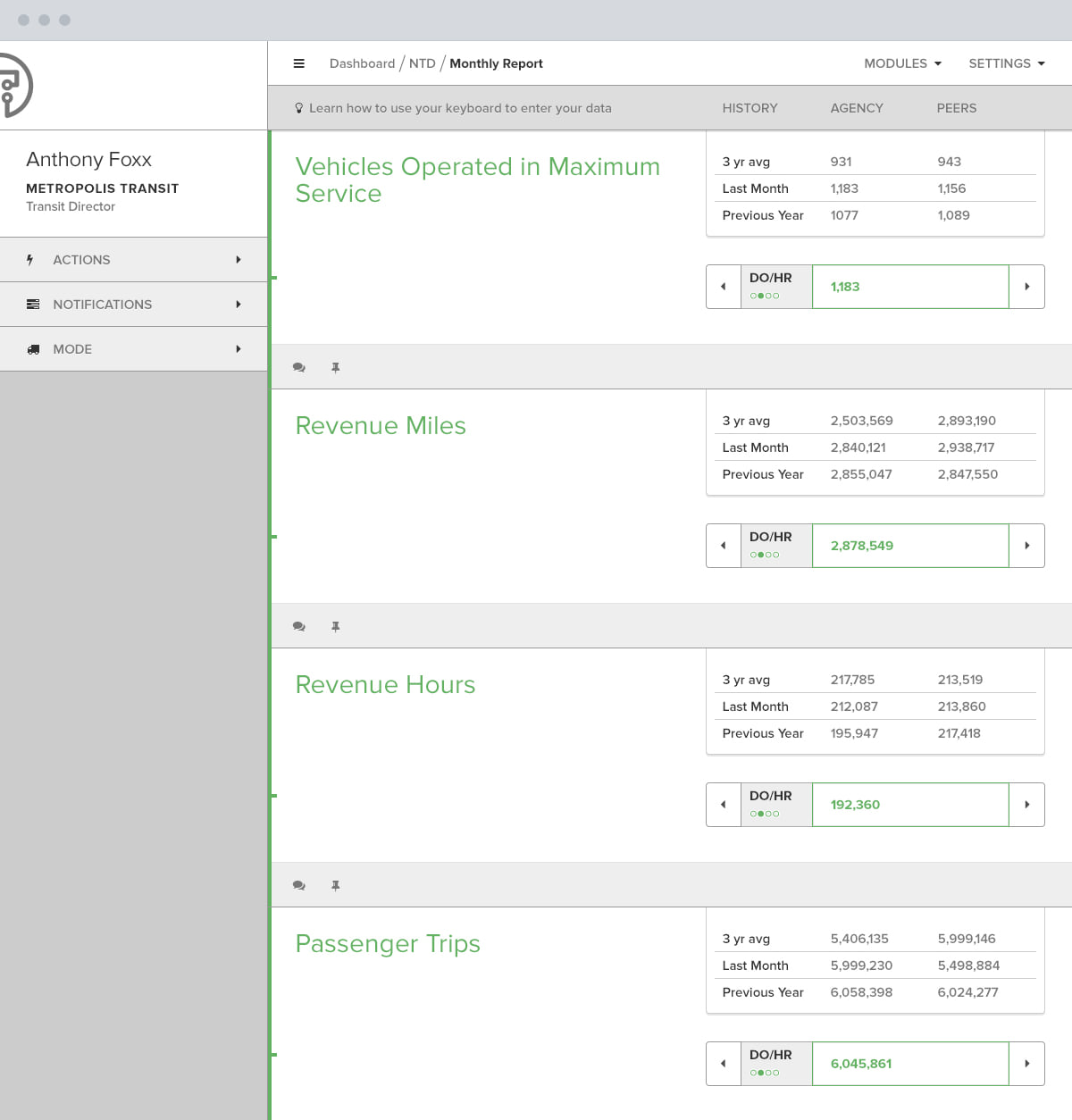
A column of measures with a field at the end of each one, and beside every field the three-year average, last month and the previous year, for the agency and for its peers. A figure is easiest to get wrong when nothing on screen says what it should look like, so a number an order of magnitude out reads as wrong while it is being typed.
Peer Analysis
A peer group is derived, not chosen. Agency type, urban area population, operating budget, region and four more criteria, each read off the agency's own filing. That is what makes the rest of the platform defensible: a peer group an agency assembled for itself invites the question of why those peers, and a federal reviewer will ask it.
Performance Metrics
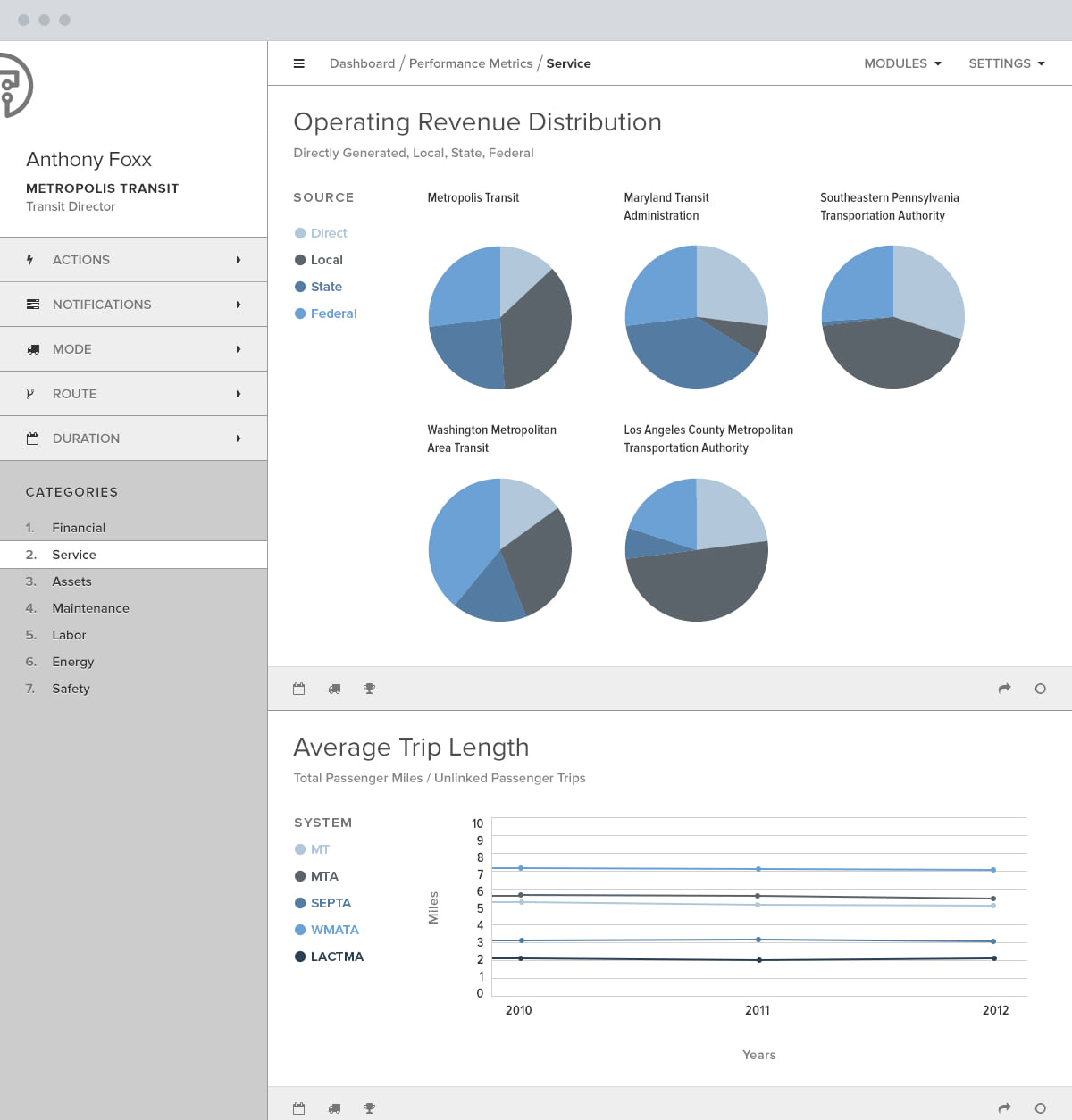
The agency against that group across seven categories, financial through safety. Operating revenue is five pie charts, one per agency, and those five agencies are the five Peer Analysis scored, which is the whole point of deriving the group in one place.
Federal Funding
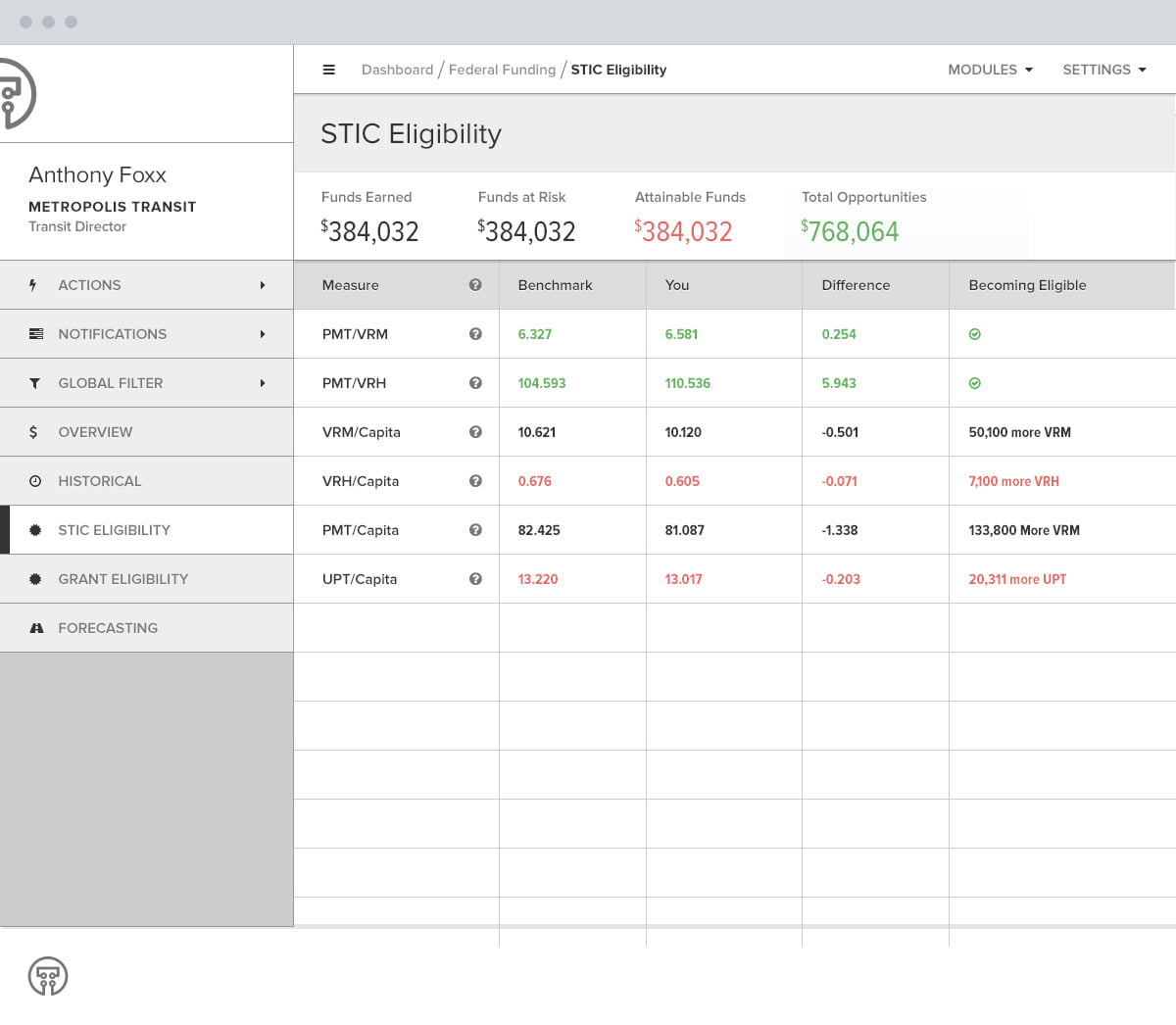
The comparison turned into money. The STIC eligibility table sets each measure against a benchmark, says how far short the agency falls, and then says what closing it takes. Not "below benchmark" but 50,100 more vehicle revenue miles. Above it sit four figures: funds earned, funds at risk, funds attainable, total opportunities. A director arrives at that screen with a number to defend and leaves with a number to chase.
Transit Maps
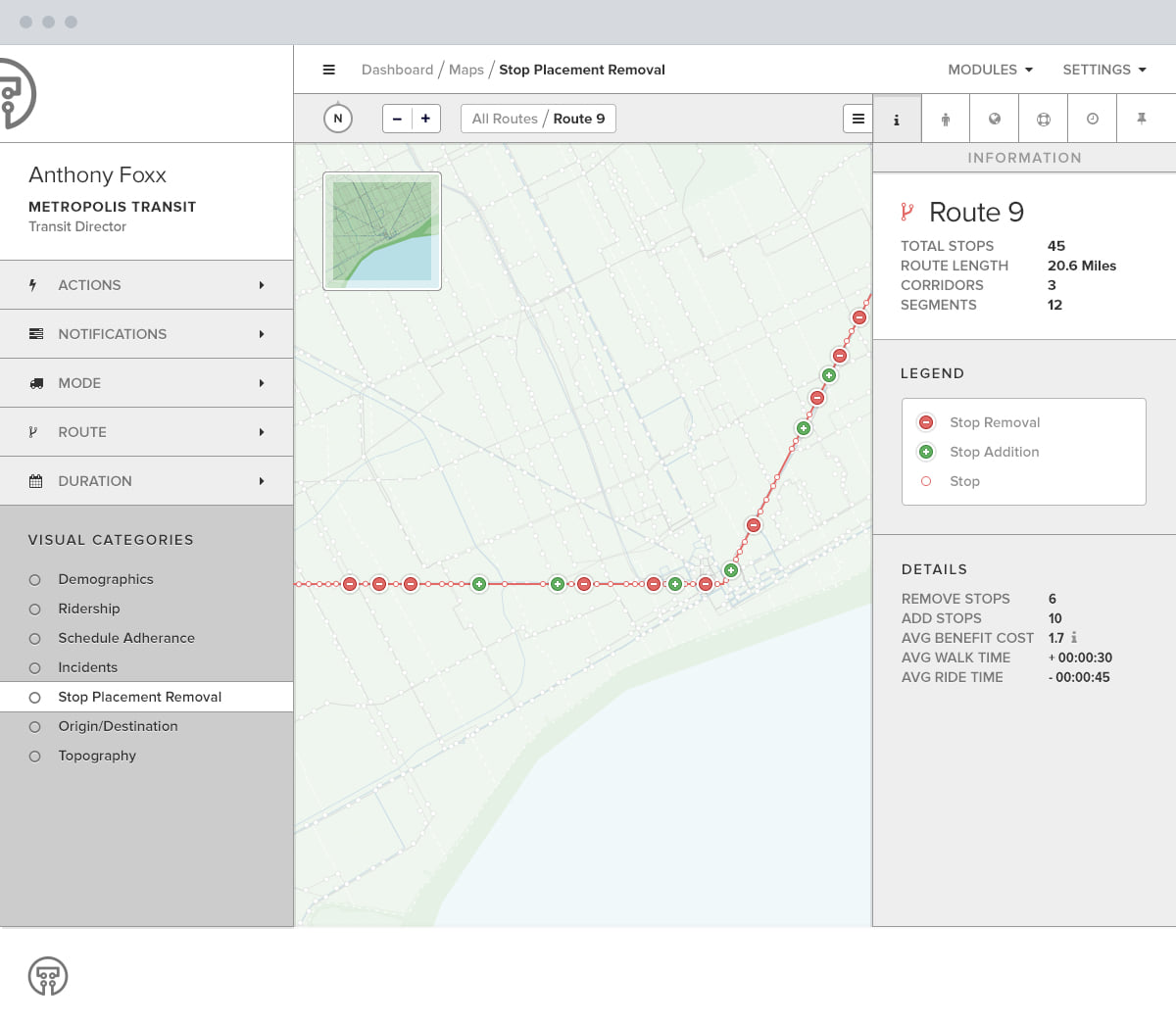
The route rather than the figures. A stop placement study on Route 9 marks six stops for removal and ten for addition, and the panel beside it prices the change: average benefit cost 1.7, thirty seconds added to the walk, forty-five taken off the ride. Seven visual categories sit under it, demographics through topography, so the same map answers a different question each time.
Asset Management
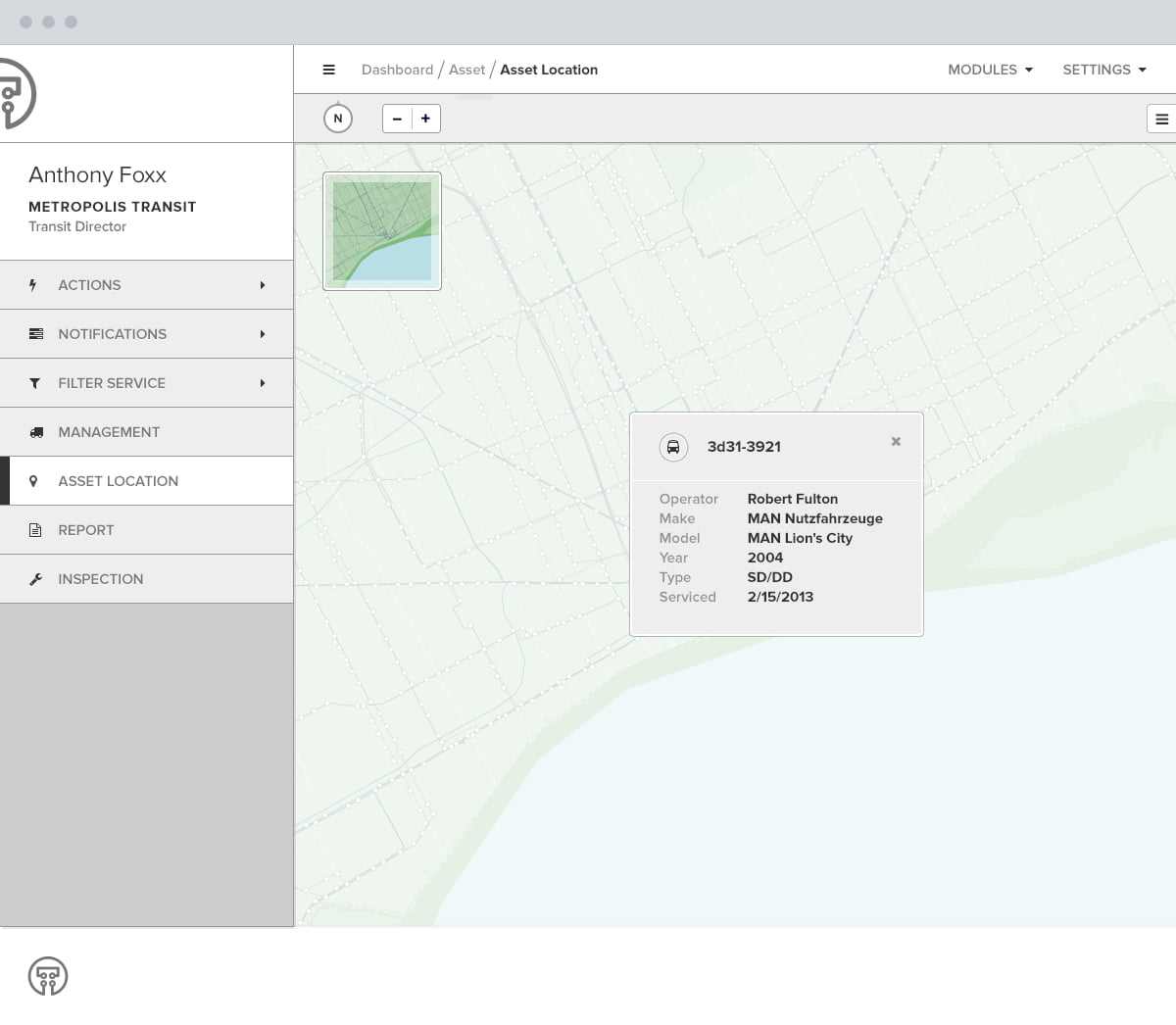
The fleet on the same map, a vehicle opening to its make, model, year and last service date. It is the plainest module and the one an agency opens most, because a bus that is not where the schedule says it is makes every figure upstream wrong.
The First Build It Replaced
The module model did not arrive with the dashboard. The first build already split the platform the same six ways, each its own space inside one shell, with admins setting which of them a user could open.
Getting that split right mattered more than any single screen. Everything after it, the dashboard included, was an arrangement of modules that already existed.
Validation, Step by Step
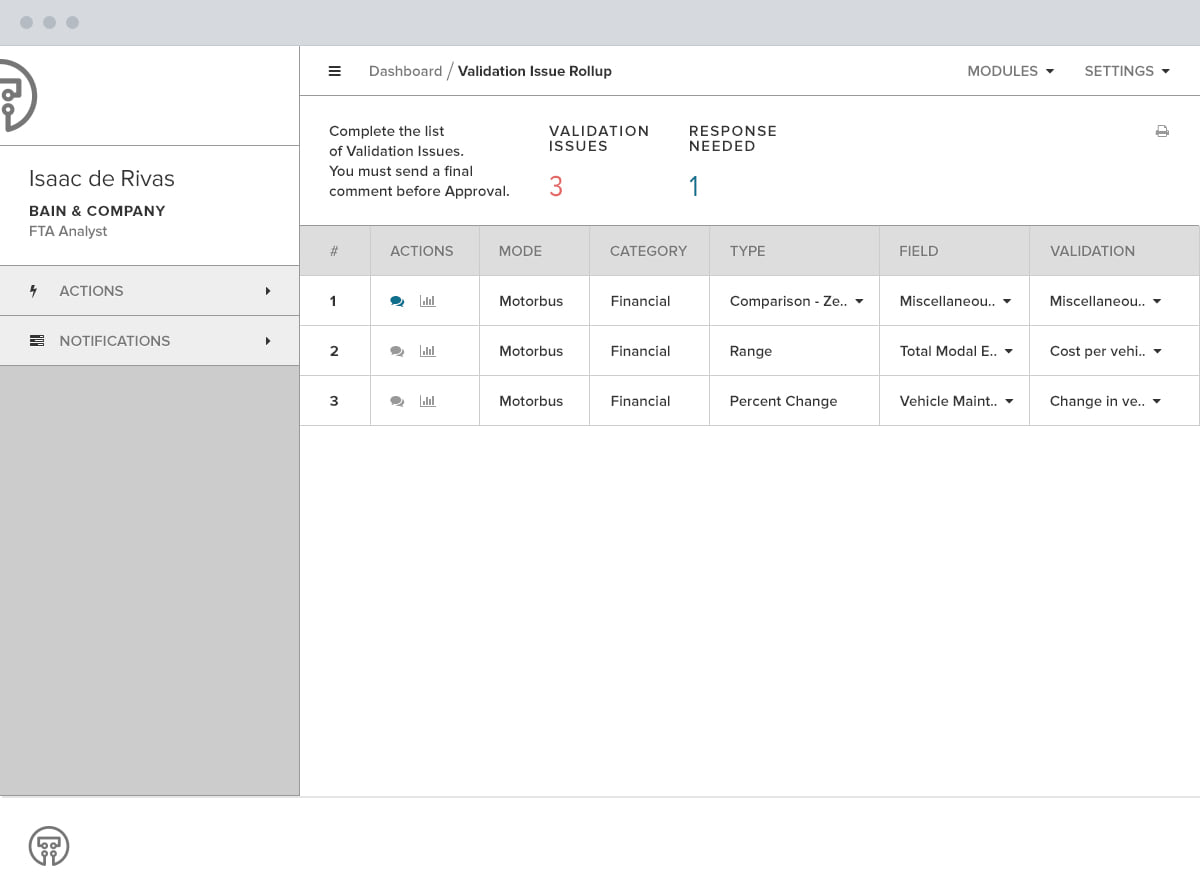
Validation is where the platform earned its keep, and it is a sequence rather than a screen. Keeping the talk on the figure is what holds the proof and the argument together, and that split is what usually goes wrong when a filing is disputed months later.
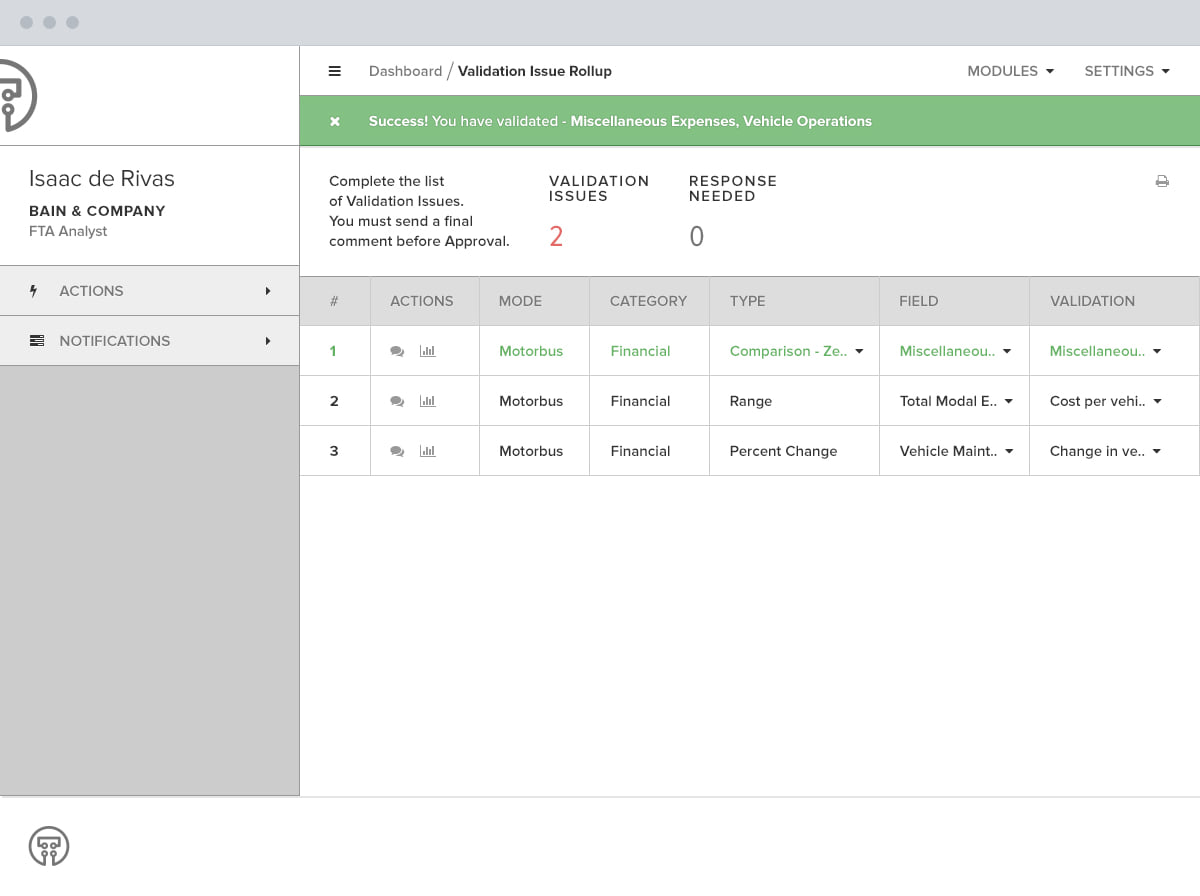
The rollup, with every issue on it
Three validation issues, one of them still waiting on the agency, and a counter for each. Every issue stands against the row it came from, not in a queue of its own, so the list is the submission with its problems showing.
A thread on the figure itself
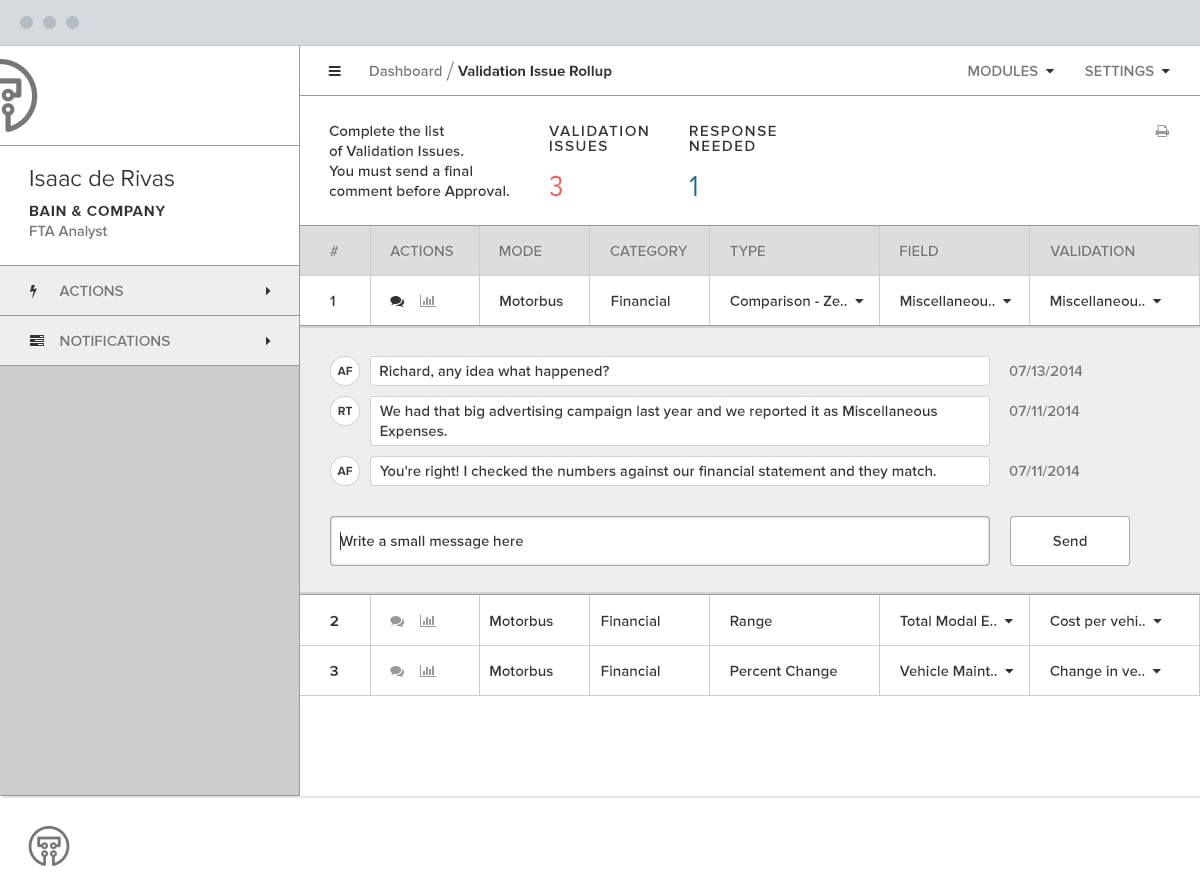
The flag is specific: Miscellaneous Expenses, Vehicle Operations reports $0 where $67,899 was reported the year before. The agency answers in the thread hanging off that number, and the answer is that last year's advertising campaign was filed under the wrong heading.
The analyst closes it
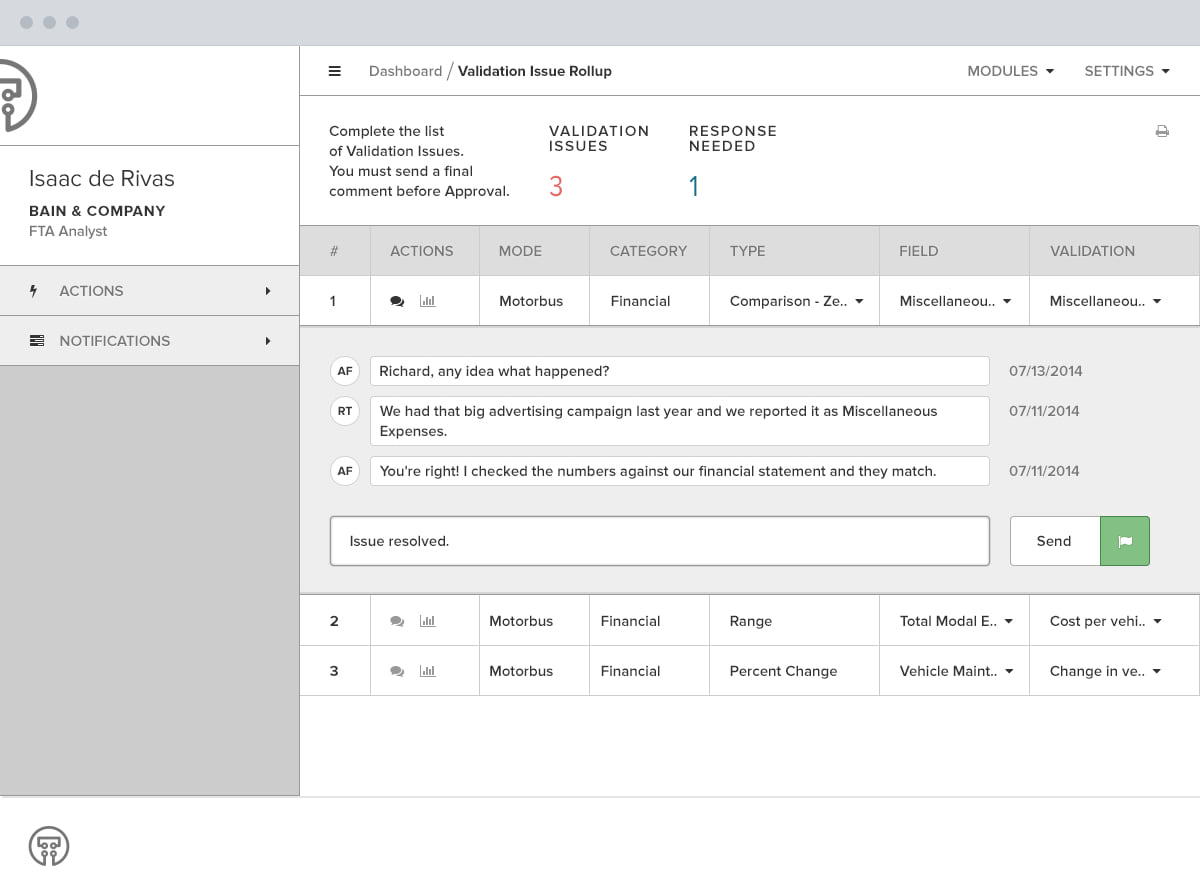
Resolution is typed into the same thread, beside the figure that caused it. Nothing moves to an inbox, so the number, the challenge and the answer stay in one place for whoever reads the filing next.
The year closes
The row goes green and struck through, the issue count drops and the responses needed go to zero. A year closes when that second counter is zero and not before.
Activation, in Wireframe
Transit Labs activates a transit authority and assigns an admin. That admin invites their own users and sets what each can do. Federal staff and outside consultants fit the same model. One product had to serve a rural agency with four buses and a metropolitan authority with two thousand.
The account and role screens were settled in low fidelity first, because the question was never what they looked like. It was who can see which module, who can submit on an agency's behalf, and what happens to a submission when the person who started it leaves.


Activation as It Shipped
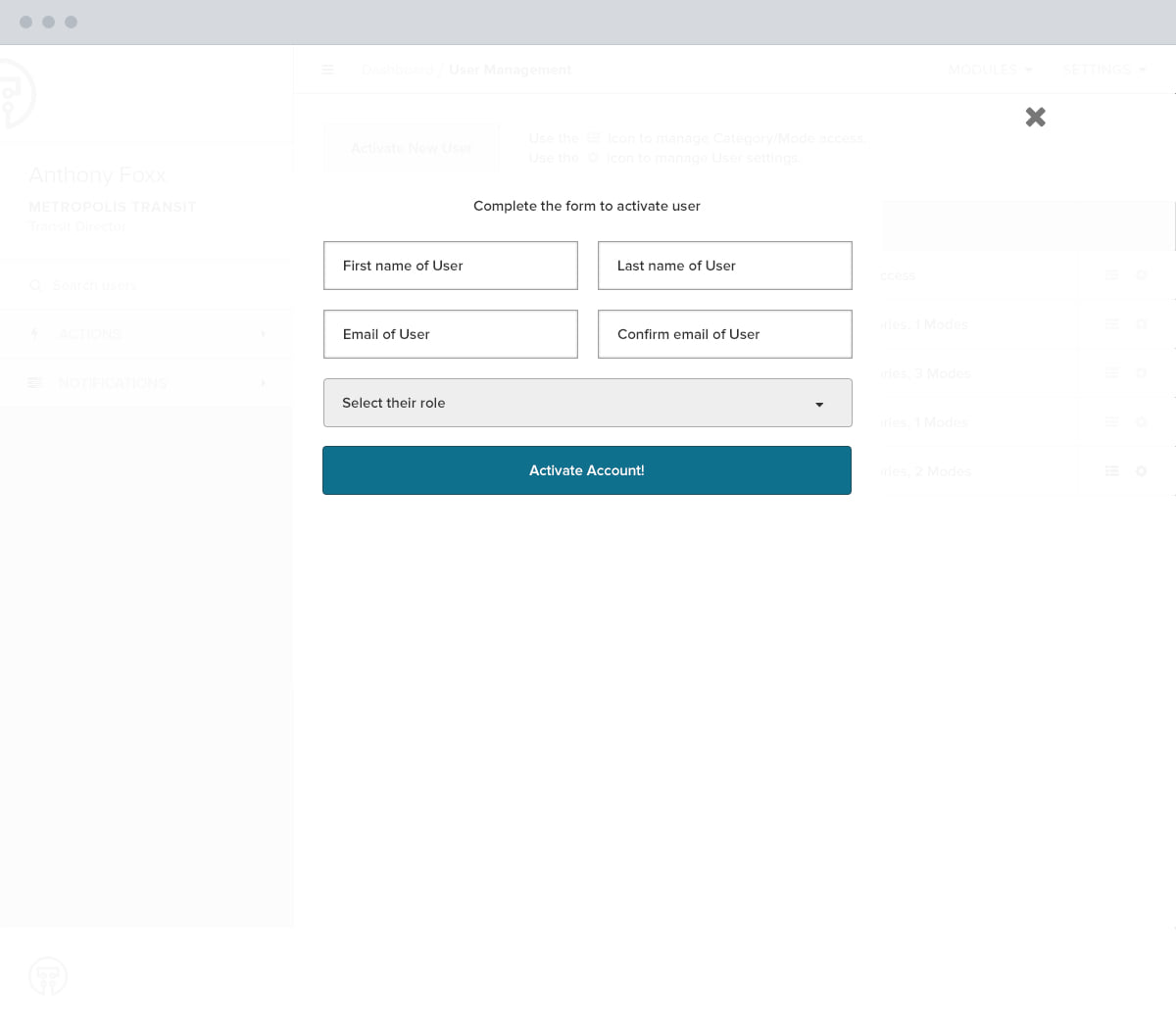
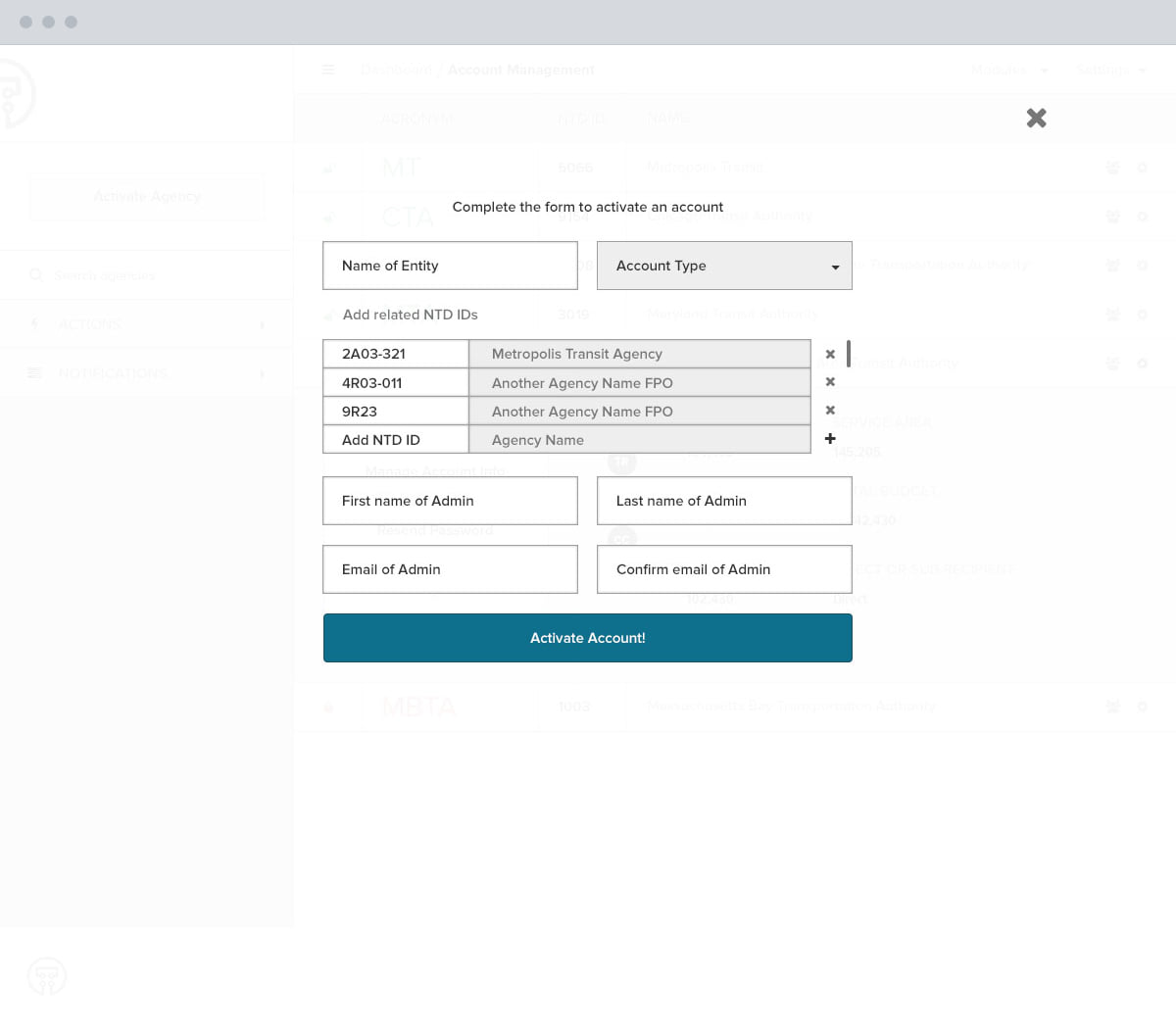
Activating a user takes a name, an email, and a role. Activating an agency takes more, because an agency arrives with NTD identifiers already attached and an admin who will invite everyone else.
Each one does the whole job in a single pass. An analyst setting up a new authority never leaves the management screen, which is the difference between a task and an afternoon.
RideCheck, Set Up at the Curb
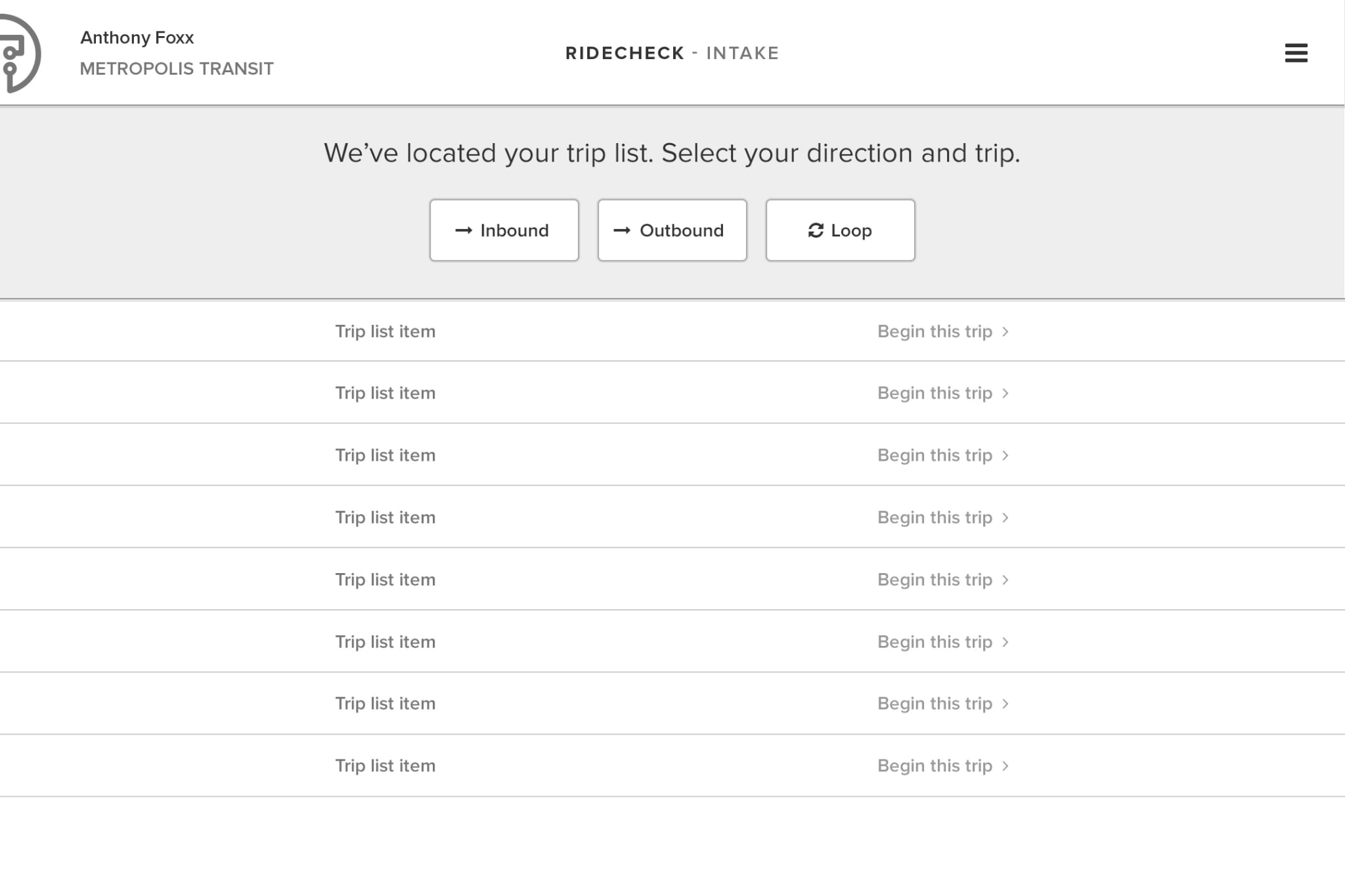
Not all the data arrives through a browser. Some is collected by a person standing on a moving bus counting who gets on and who gets off, and some by asking riders questions while they travel.
RideCheck starts at the curb, before any of that. The tablet finds the trip list for where it is, the surveyor picks a direction and a trip, and everything the counting screen needs is settled while the bus is still stationary.
RideCheck, Counting and Nothing Else
What is left once the bus moves is two numbers. The screen is laid out for a thumb and not for a reader: nothing on it needs to be read to be used, and the four things it does show are the four things a count cannot go wrong without.
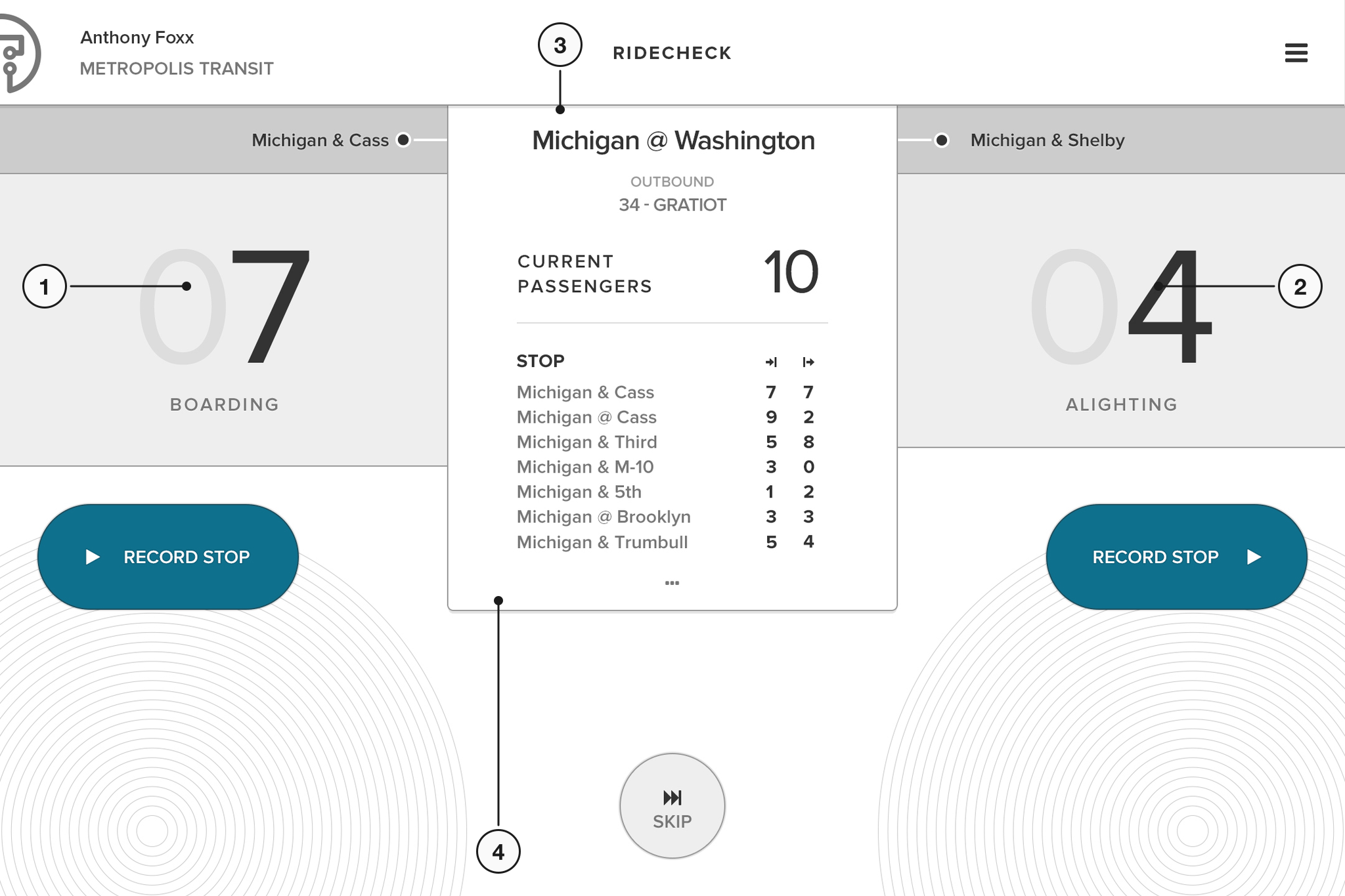
Boarding takes half the screen
The left half is one target. A surveyor on a moving bus is holding a rail with the other hand and watching the door, not the tablet, so the counter is the size of the thing it has to be hit with.
Alighting takes the other half
The same target mirrored, and nothing between them to hit by mistake. Two counts are the whole job at a stop, so two halves are the whole screen.
The trip is already decided
Stop, direction and route are set at the curb, and the screen shows them without offering to change them. Nothing here is a control, because a wrong tap in motion is a filing error nobody catches until the year is disputed.
So is the sequence, and what it has taken
Every stop on the route in order, with the boarding and alighting counts already recorded against each. The surveyor reads where they are in the run instead of remembering it.
The Passenger Survey and Its Login
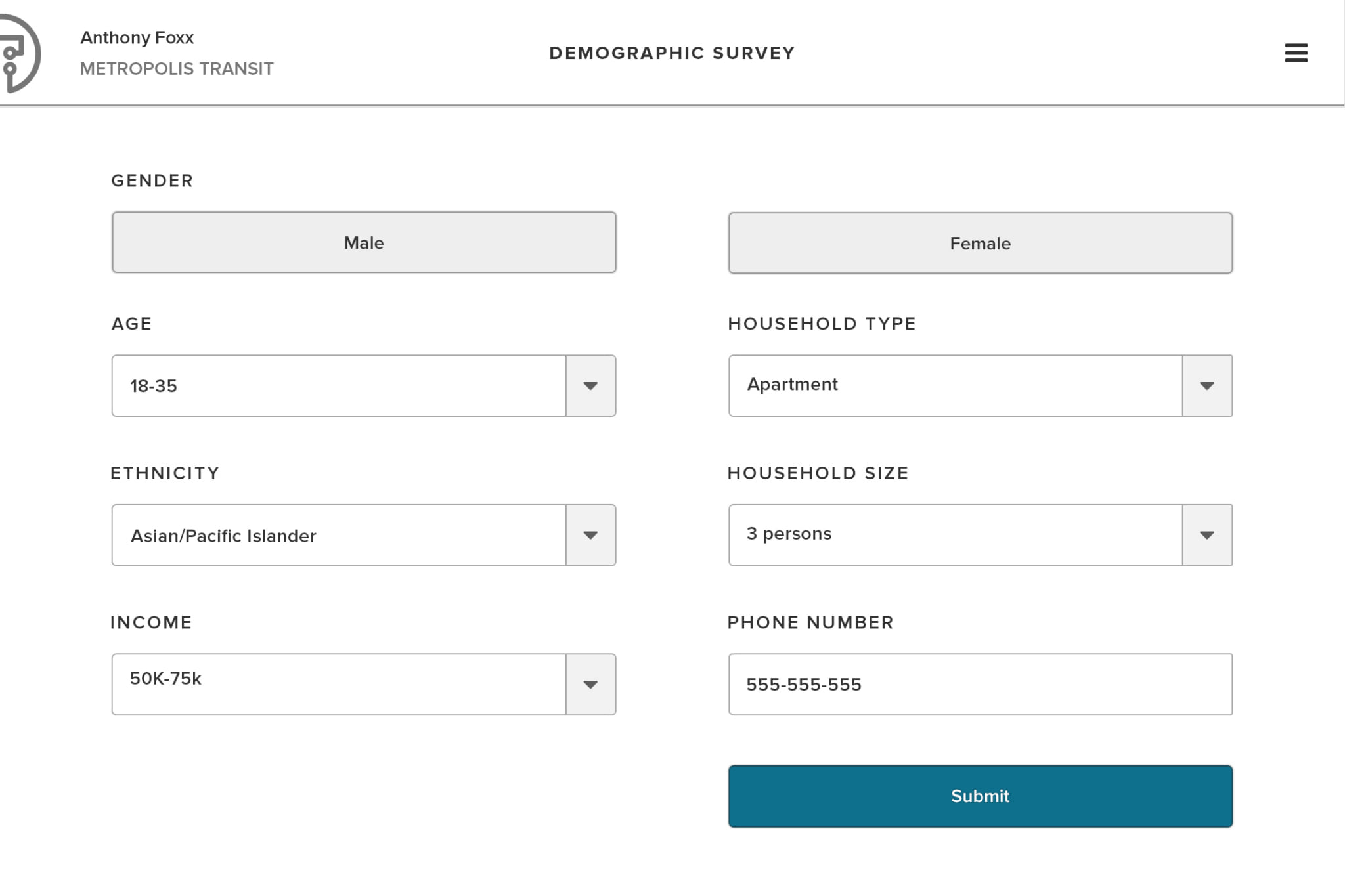
The passenger survey is built for the second kind of collection, where the questions go to riders while they travel instead of to the door.
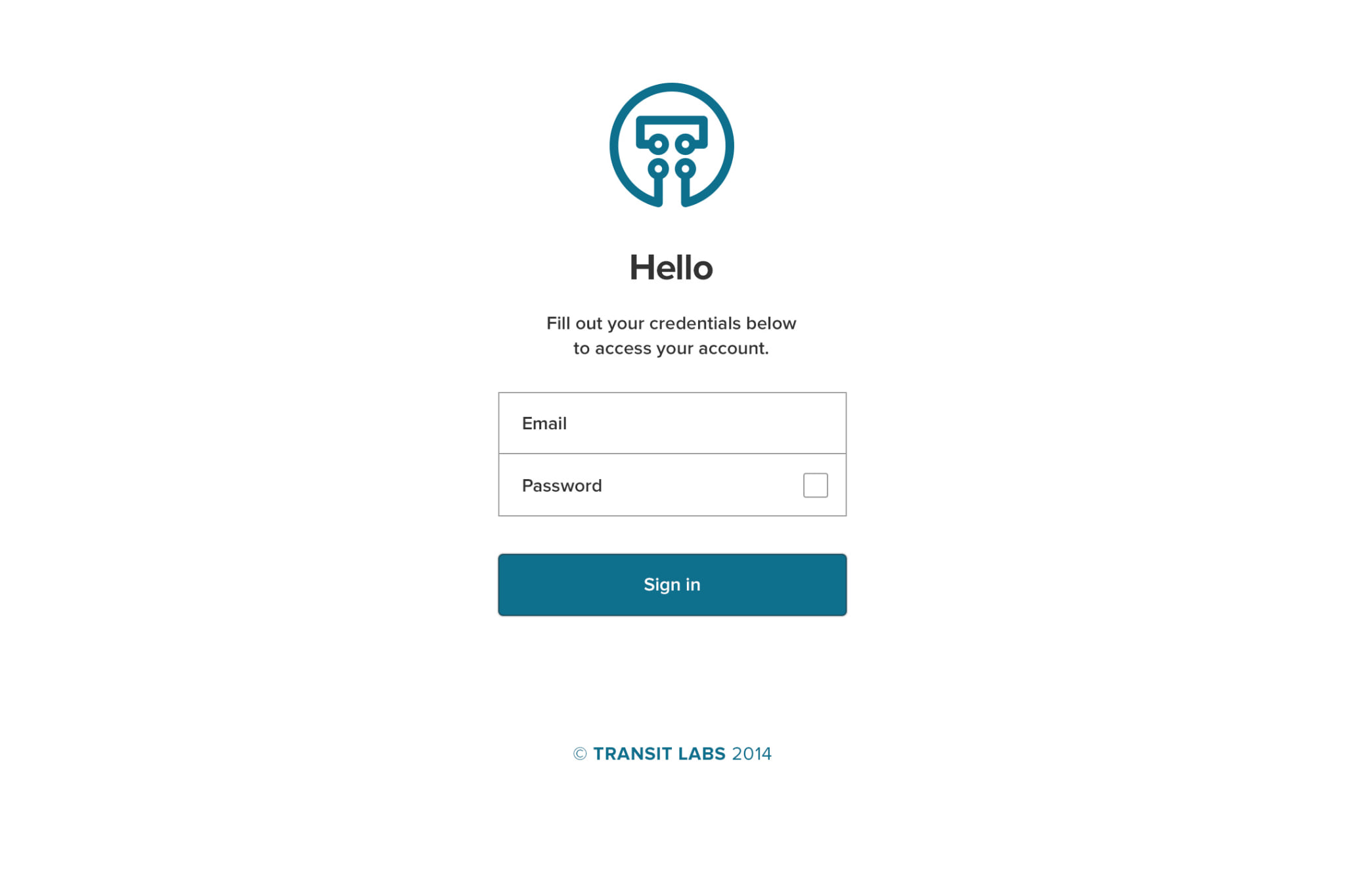
The login exists for a smaller reason that decides a lot. A surveyor picks up whichever tablet is charged that morning, so the device cannot be the identity and the person has to be.
Information Architecture
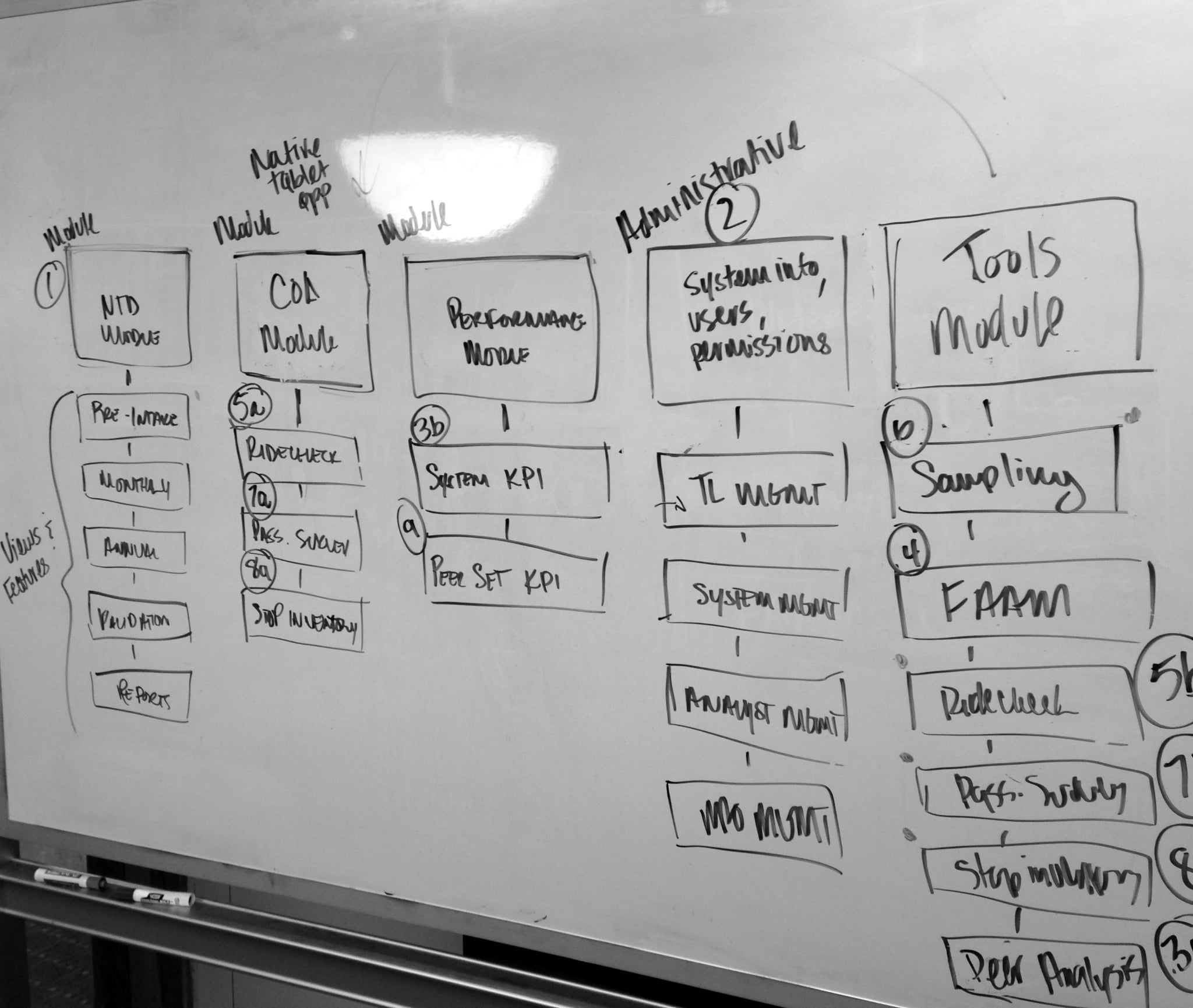
Congress mandated transit data reporting in 1974, and the reporting burden has grown ever since. Before any screen was styled, the work was figuring out what a transit authority actually has to file, who signs off, and where the process breaks.
That meant whiteboard sessions with the engineers, and a wireframe for every module before any of it was designed. The blueprints settled the argument about structure while it was still cheap to change.

The Marketing Site
The marketing site was a handful of plain pages, each carrying one answer. Every one had to survive the same audience problem as the identity. A procurement officer at a state DOT and a venture investor would read it in the same week and need different things from it.
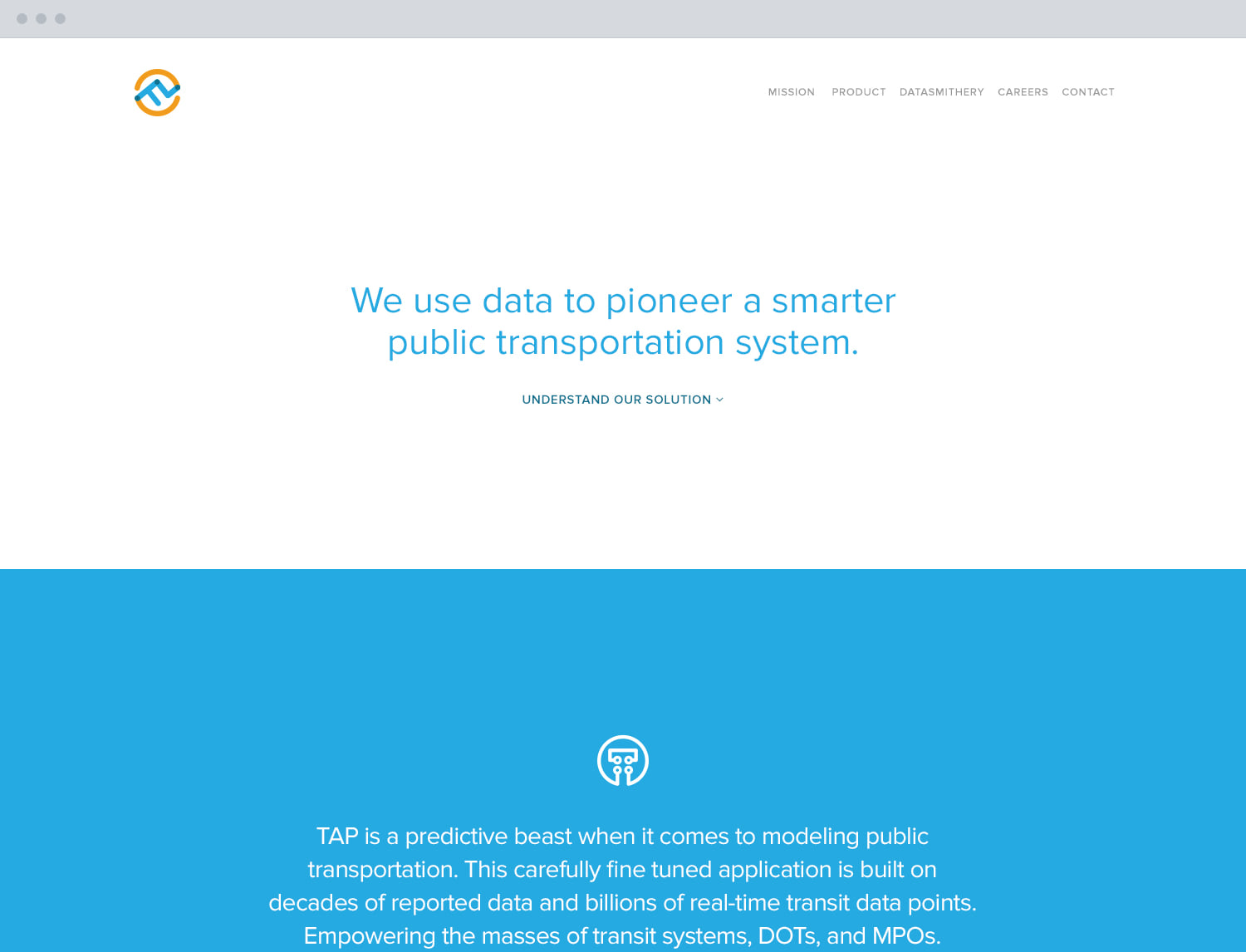
The homepage
What the company was and what the product did, settled in the first screen.
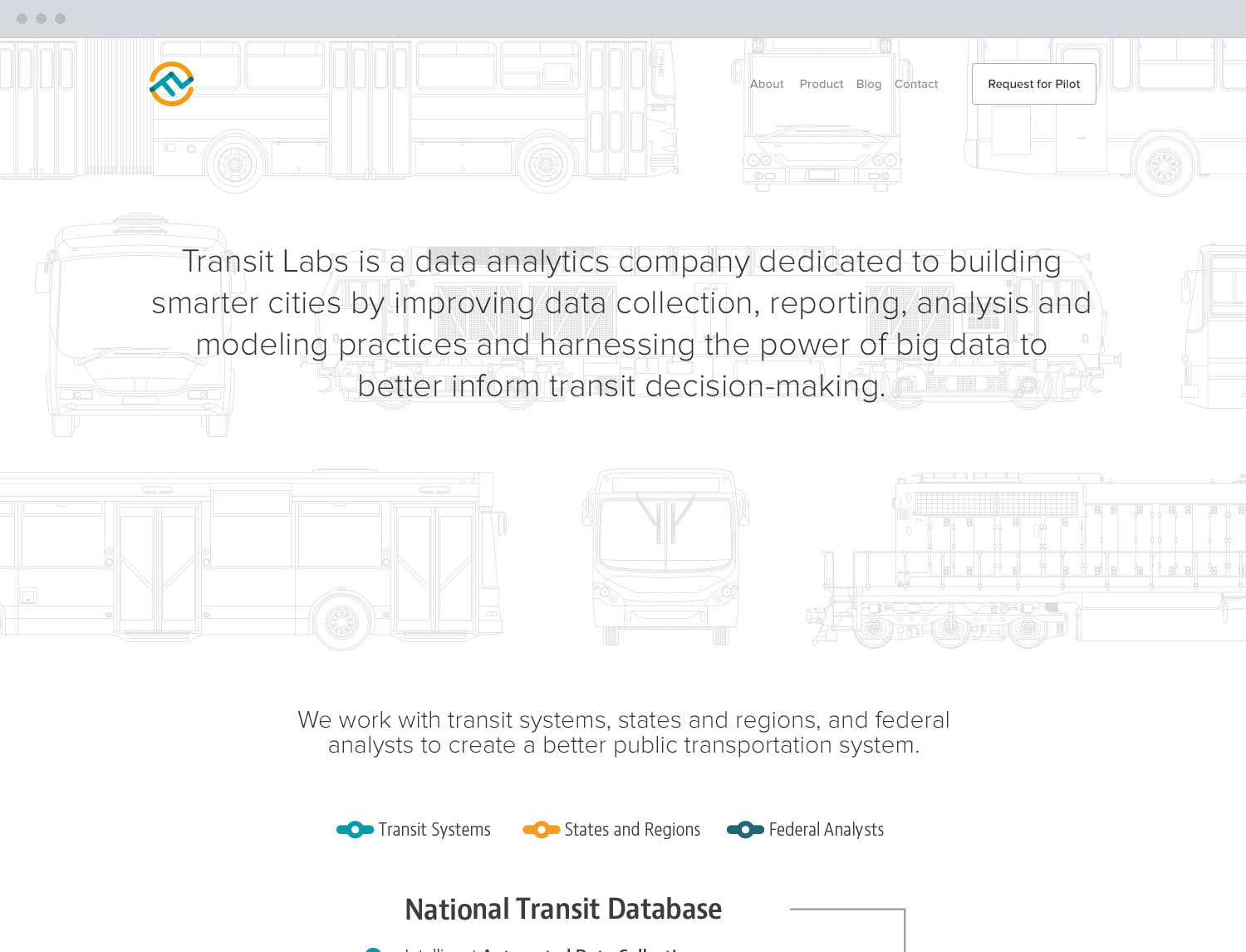
The about page
Who the company was, and how a pilot contract worked. The whole company wrote the copy together, which let design skip straight from outline to high fidelity and then into front-end code.
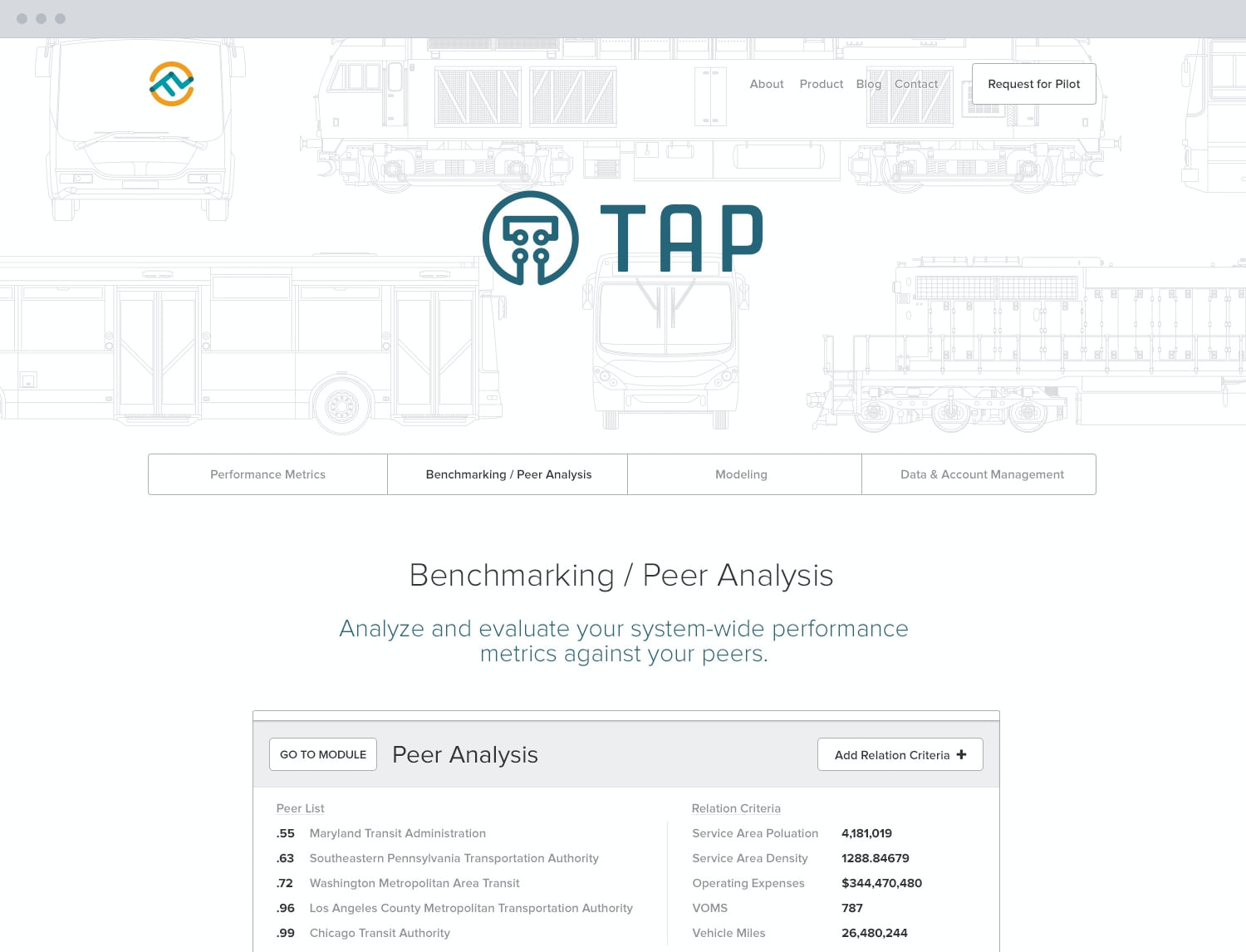
Peer analysis, in plain words
One of the two analysis modules, written in the words a transit director could take to a board rather than in the language of the platform.
The Investor Deck and the Proposals
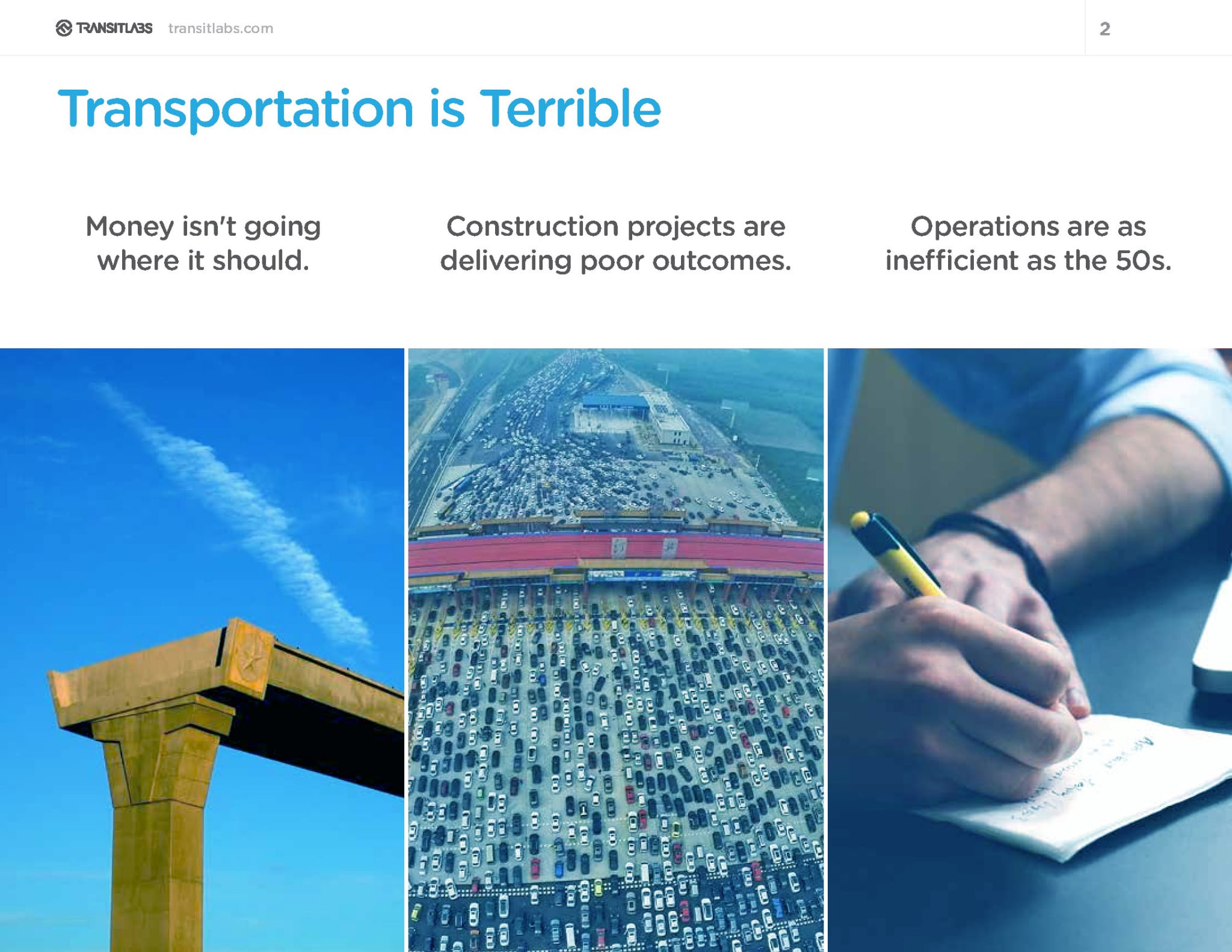
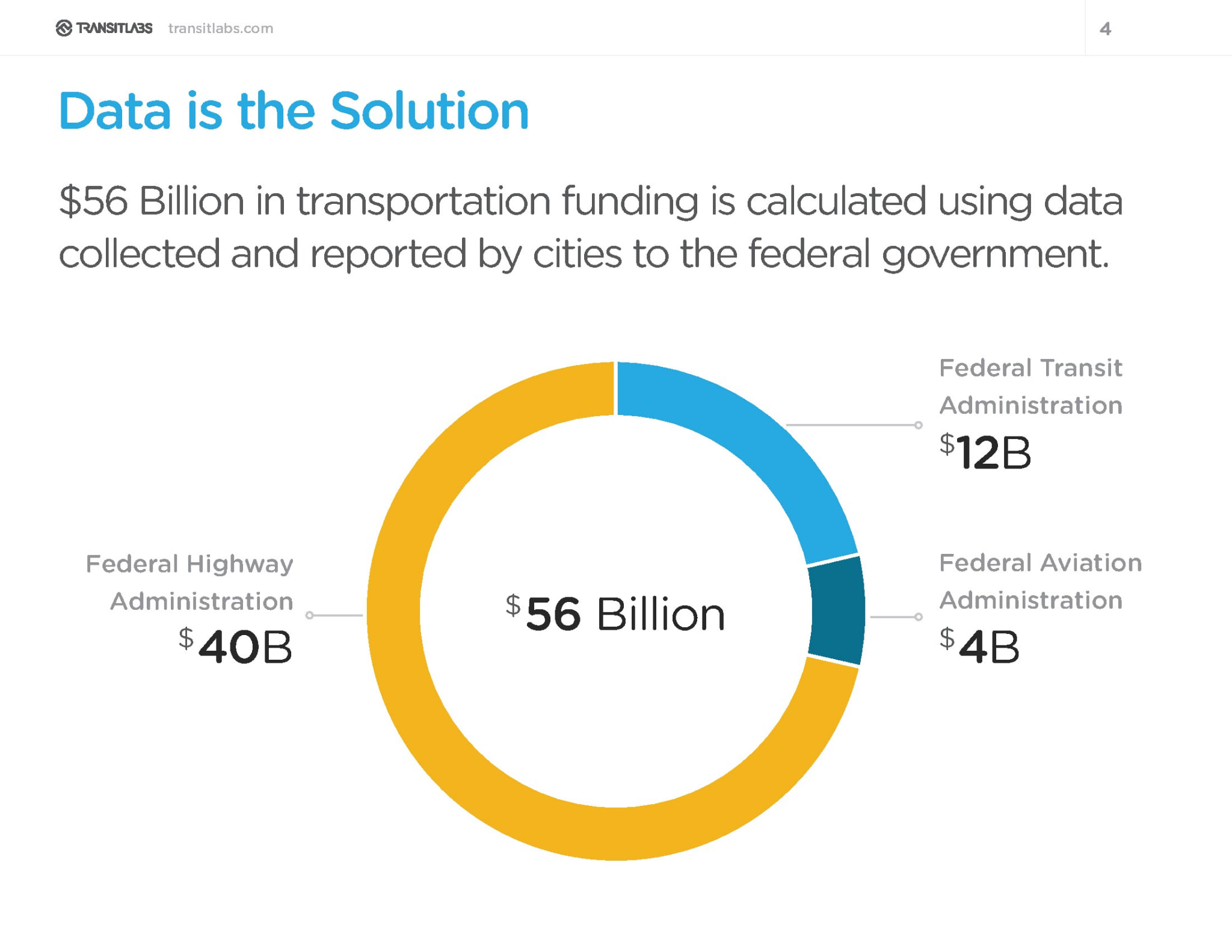
The work that happens before a contract exists took the same direction. The investor deck opens on the problem, not the product. Transit money does not go where it should. The data behind those calls is gathered by hand, and federal funding rests on the result. Only then does the platform appear.
The deck, the RFP responses and the proposals were the same job as the software. At a company this size, a designer who can build a board-ready case is the gap between a pilot and a payroll. Proposals and RFP responses went to city and county agencies and a regional commission in five states.